 DeepTranslate
Guide complet de traduction PDF 2026 | Méthodes efficaces et comparaison des outils
Traduction PDF facile ! Comprenez rapidement avec vue côte à côte
Lisez efficacement les PDF multilingues avec la comparaison DeepTranslate.
La traduction PDF désigne la conversion du texte contenu dans les documents au format PDF en une autre langue. Bien cela puisse sembler similaire à la "traduction classique" à première vue, la traduction PDF présente ses propres défis uniques.
Contrairement au texte ordinaire et aux pages web, les fichiers PDF ont une mise en page fixe et ont souvent des restrictions de copie ou d'édition, ce qui rend difficile leur utilisation directe avec des outils de traduction. Especially in PDFs with many tables, figures, footnotes or multi-column layouts, the text order may become scrambled after translation, making the content difficult to understand.
Typical scenarios where PDF translation is needed in Japan include:
- Academic papers and research materials written in English or other foreign languages
- User manuals and instruction sheets from overseas manufacturers
- Reports and contract-related PDFs received in business
- Overseas emails and materials delivered in PDF format
As you can see, PDF translation is not just a "feature used occasionally," but a task frequently required in work, learning and information gathering situations.
Important Precautions Before Translating PDFs
Before translating a PDF, there are important key points you need to understand. Starting translation without knowing these will lead to "can't translate properly," "layout got broken," or "results different from expectations."
First, the major difference is that there are two types of PDFs: text PDFs and image PDFs (scanned PDFs). Text PDFs contain character information, so they can be translated relatively smoothly with translation tools. On the other hand, image PDFs are scanned documents where characters are saved as images, so they cannot be translated as-is and require OCR (optical character recognition) processing.
Next, the issue of layout breakdown needs attention. Since PDF is a format that prioritizes original design, line spacing, paragraph structure, and table structures may break after translation. Especially in free tools, processing speed is prioritized over translation accuracy, which can sometimes sacrifice readability.
Another often-overlooked issue is privacy and file upload concerns. With online translation services, PDF files need to be uploaded to external servers, so caution is required when handling confidential information or internal documents. It is important to check in advance how the tools you use process data.
Understanding these points and choosing a translation method can significantly reduce failures in PDF translation.
Traduction PDF facile ! Comprenez rapidement avec vue côte à côte
Lisez efficacement les PDF multilingues avec la comparaison DeepTranslate.
The "Four Walls" Encountered in Translating English Papers and Overseas Materials
When reading English papers and overseas business materials, many people use Google Translate or DeepL (free version). However, when actually using them, many users will encounter the following "four walls":
- Layout breakdown: After translation, figures and formulas become scattered, making it difficult to understand the original intent of the material.
- Trouble verifying the original: Just the translated text makes interpretation of technical terms uneasy, requiring constant "back and forth" between the original file and the translation, breaking concentration.
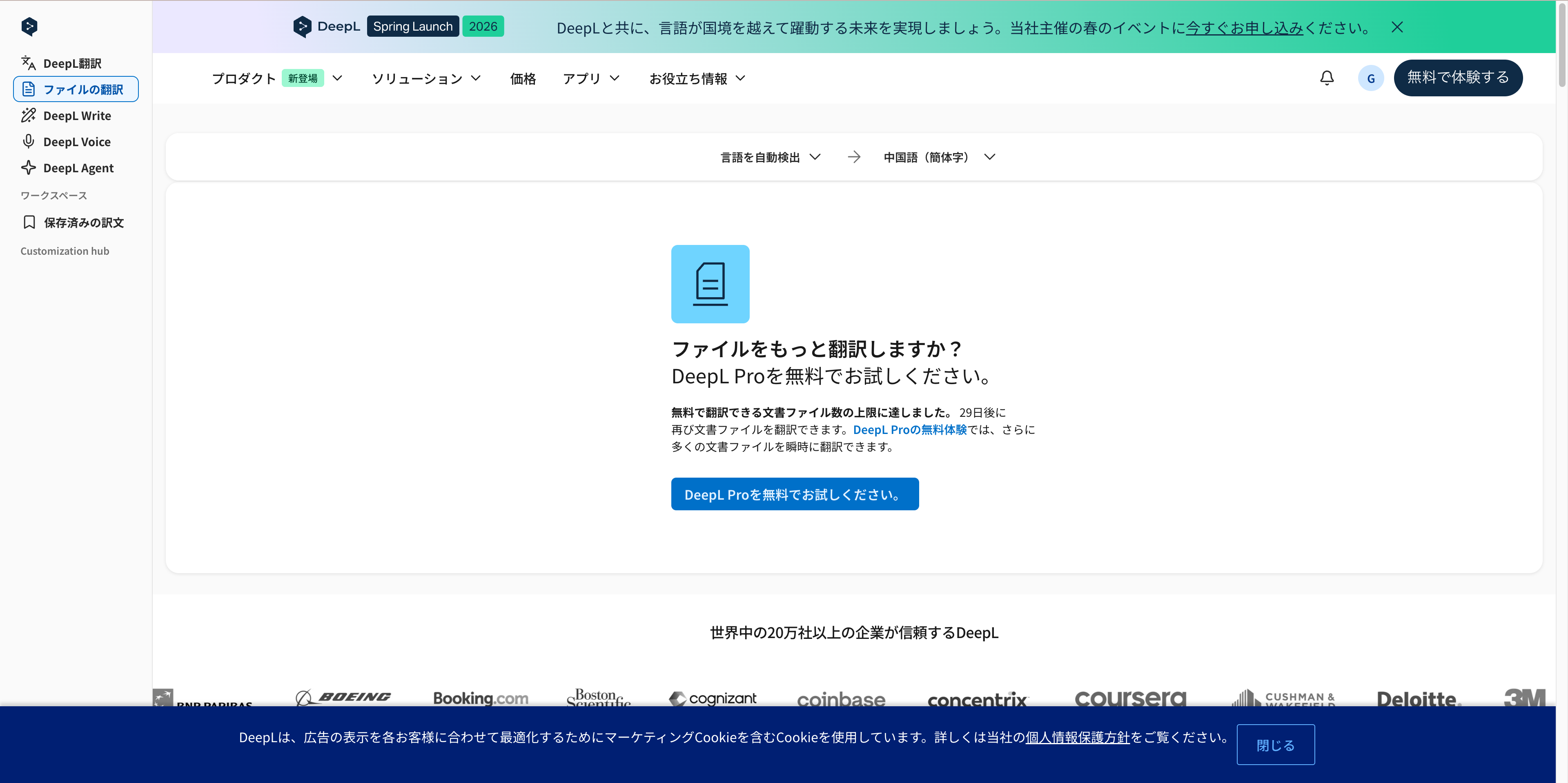
- Free tier limits: "I tried to translate with DeepL, but the free limit was reached and I was told to wait 30 days" is a common experience.
- Manual copy-paste "heavy labor" and mistakes: Manually repeating copy-pastes to ChatGPT for accuracy is a waste of time and effort. The longer the document, the more paste mistakes and context gaps occur, making translation quality unstable.
Comprehensive Comparison: 6 Methods for Translating PDFs | From Tools to Human Translation
Since PDFs have complex layouts and formats, translation involves different challenges than text translation. Depending on the purpose and file type, various translation methods are chosen, including machine translation tools, dedicated PDF translation tools, OCR-enabled services, and even human translation.
This chapter introduces 6 representative PDF translation methods, comparing their features, advantages, and precautions to help you find the best option for your needs.
How to Translate PDFs with DeepTranslate (Chrome Extension)
As the latest PDF translation-specific tool, DeepTranslate has a range of features designed for professional and learning use. It is particularly popular among students, researchers and business users handling PDF English translation or paper translation PDFs. This section summarizes its features, operation steps and precautions.
Advantages
-
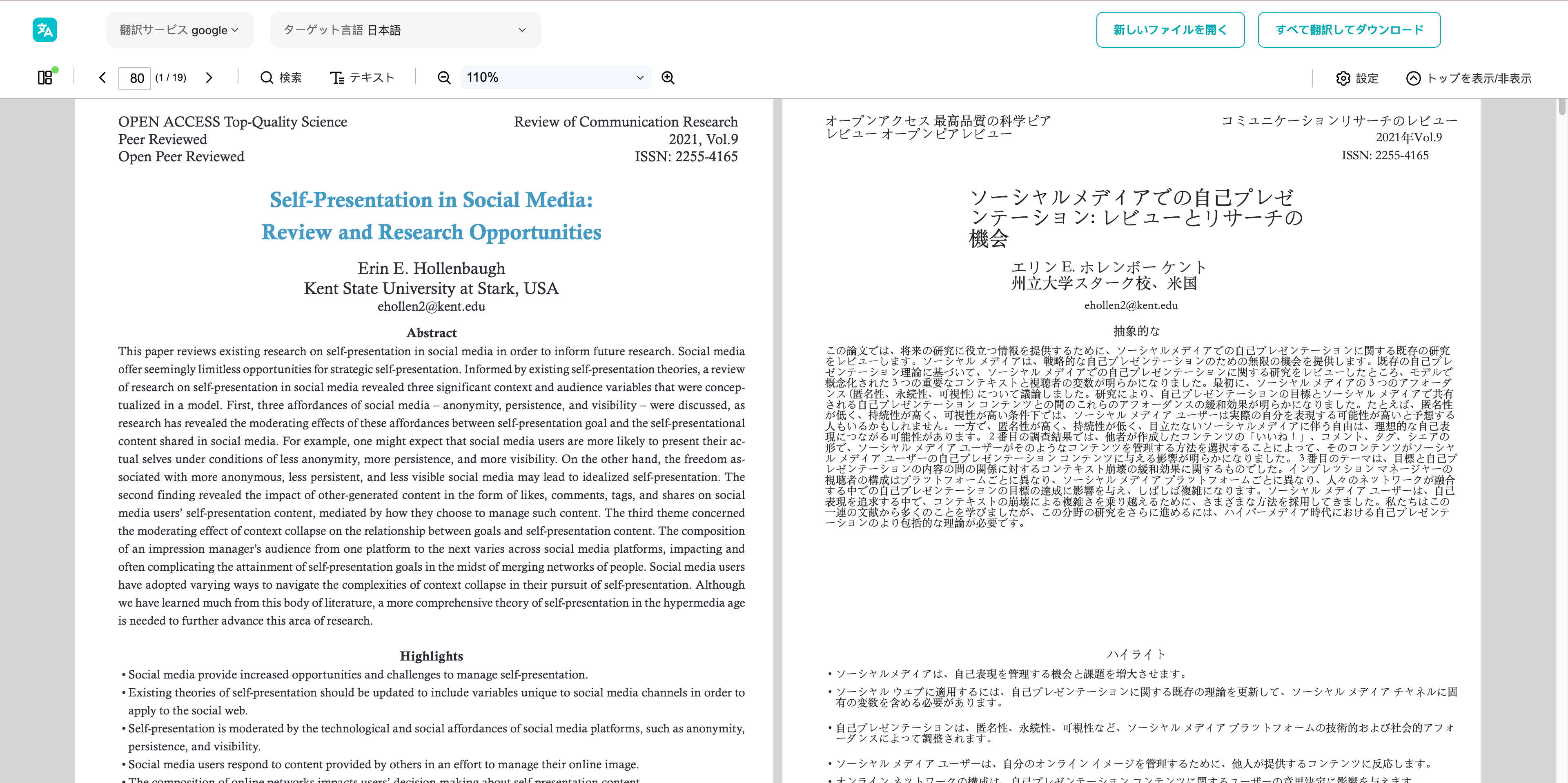
Side-by-side display: View original and translation in parallel with scrolling

-
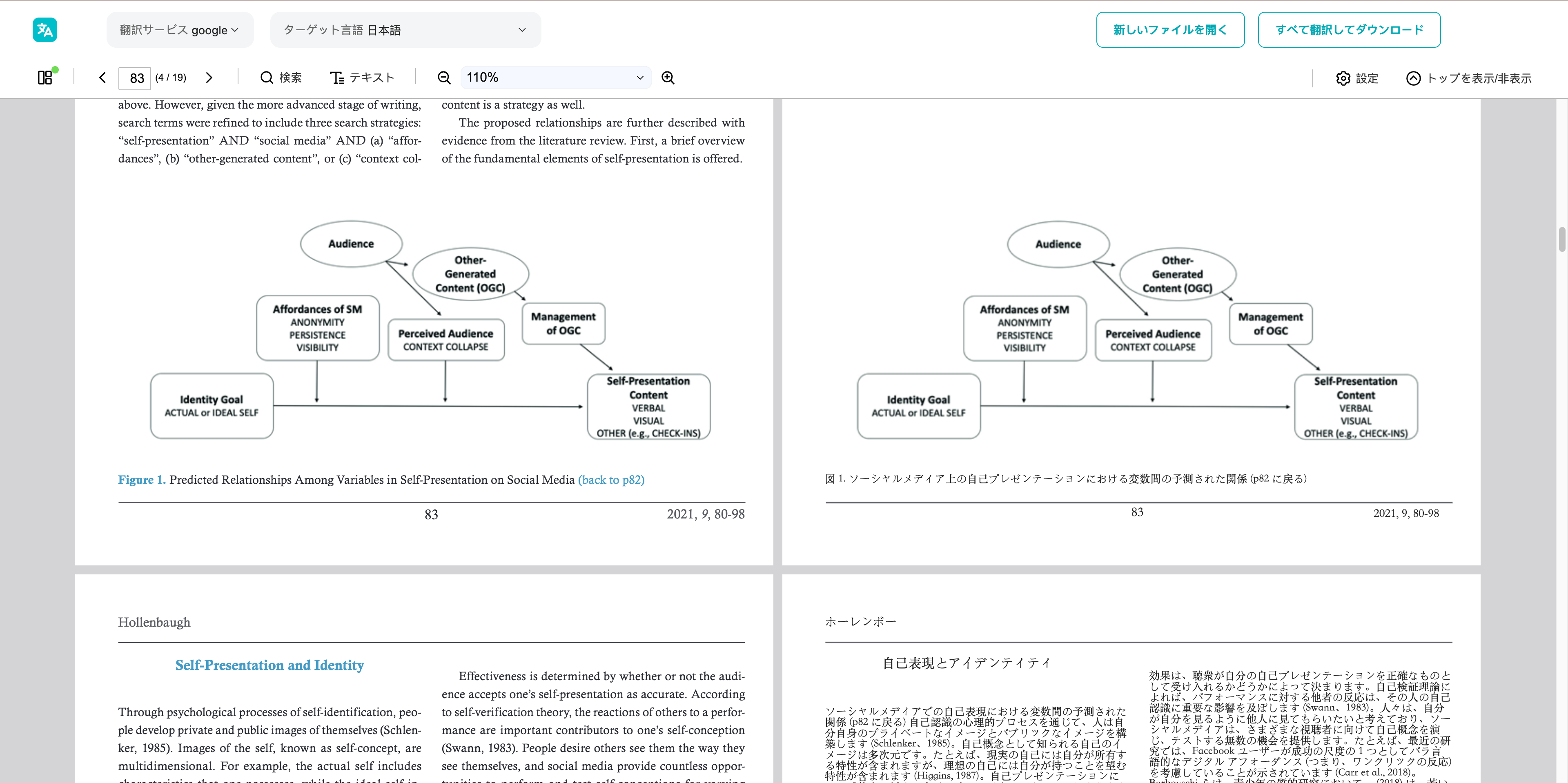
Layout preservation: Complex tables and multi-column layouts are less likely to break
-
143 language support: Supports English translation PDF and Japanese translation
-
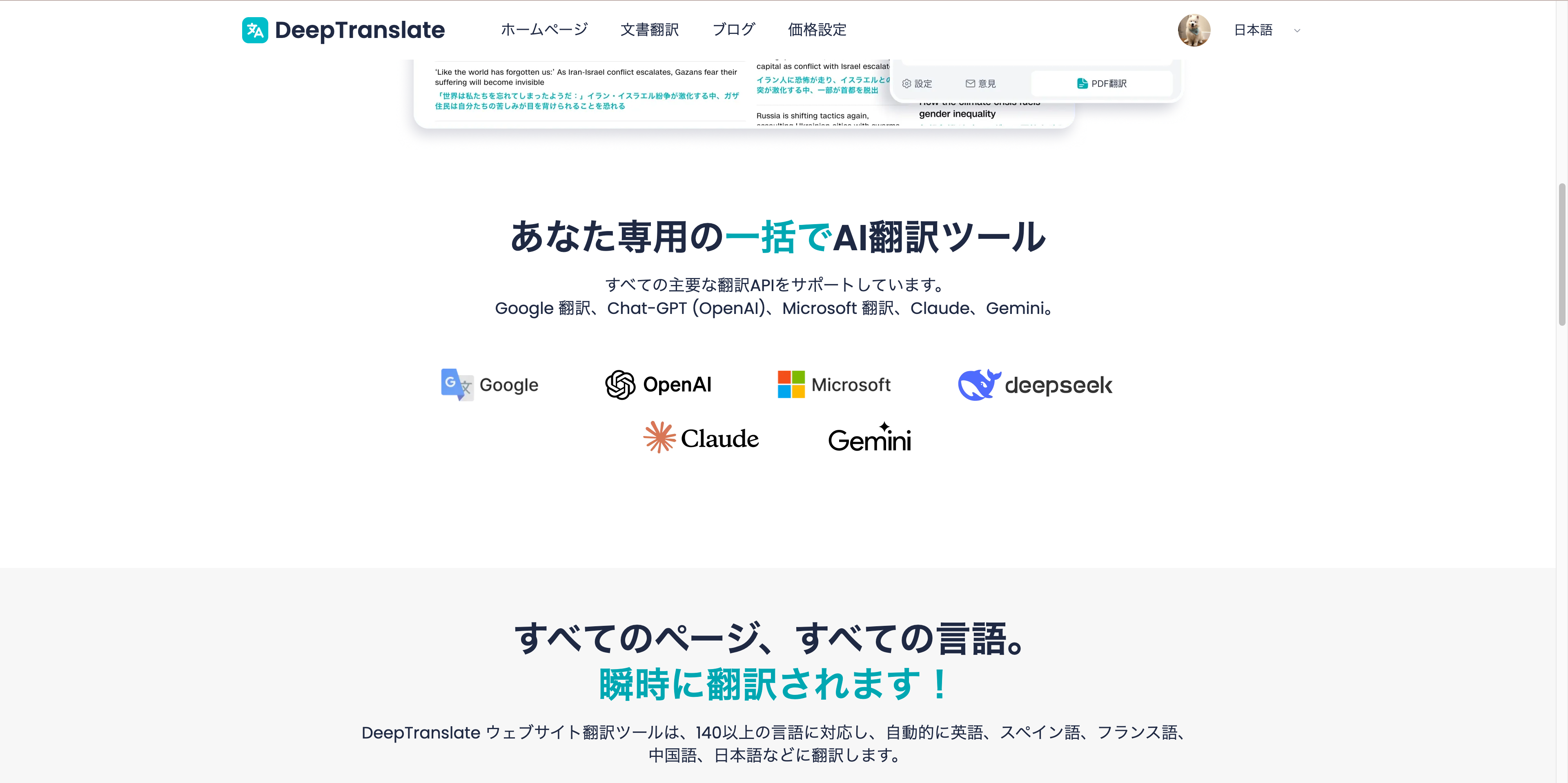
High-quality output from high-precision AI engine
-
Privacy protection: Auto-deletion after translation

Traduction PDF facile ! Comprenez rapidement avec vue côte à côte
Lisez efficacement les PDF multilingues avec la comparaison DeepTranslate.
Disadvantages
- Image PDFs require OCR
- Technical terms need verification
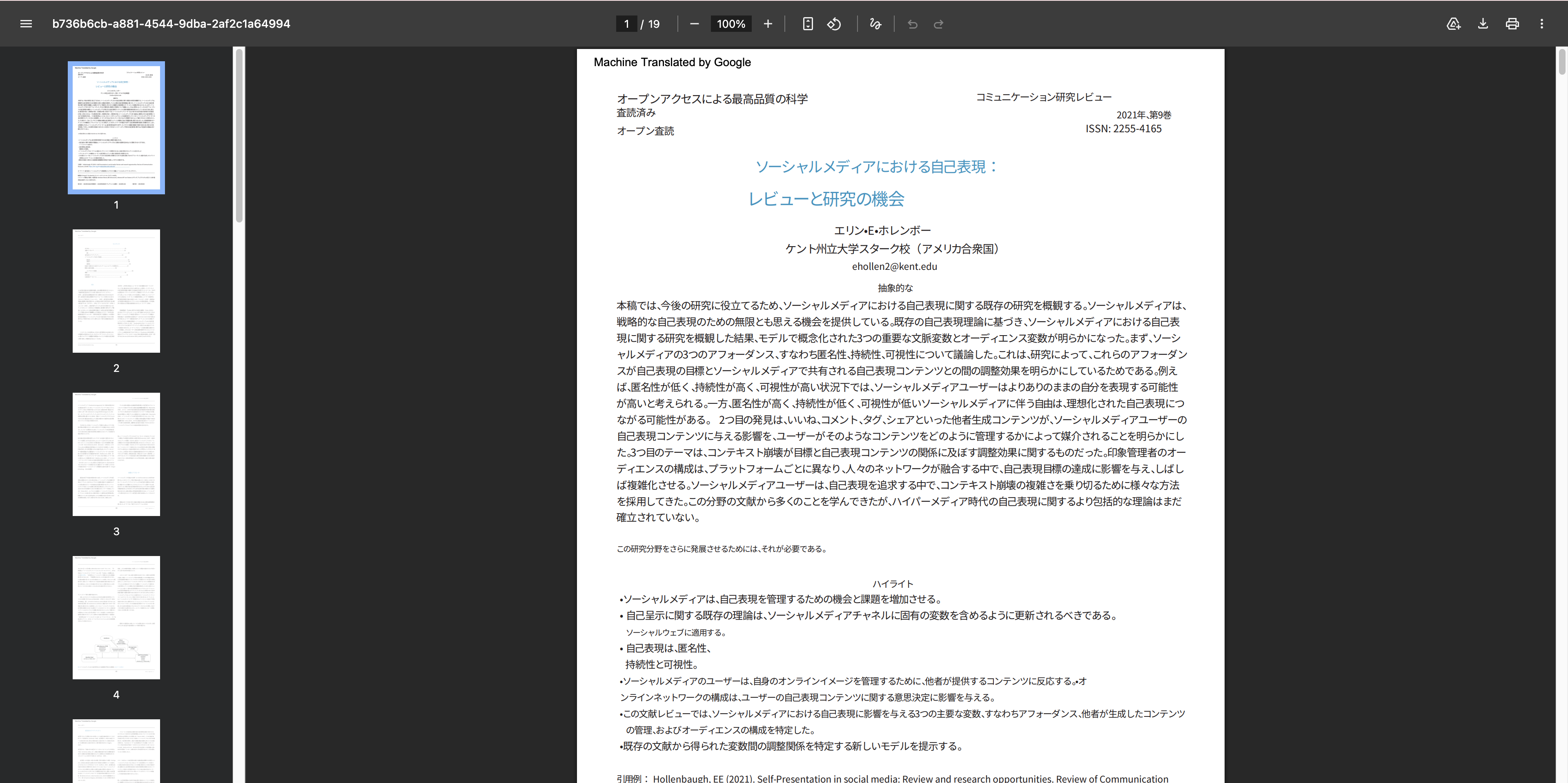
Google Translate PDF (Document Translation)
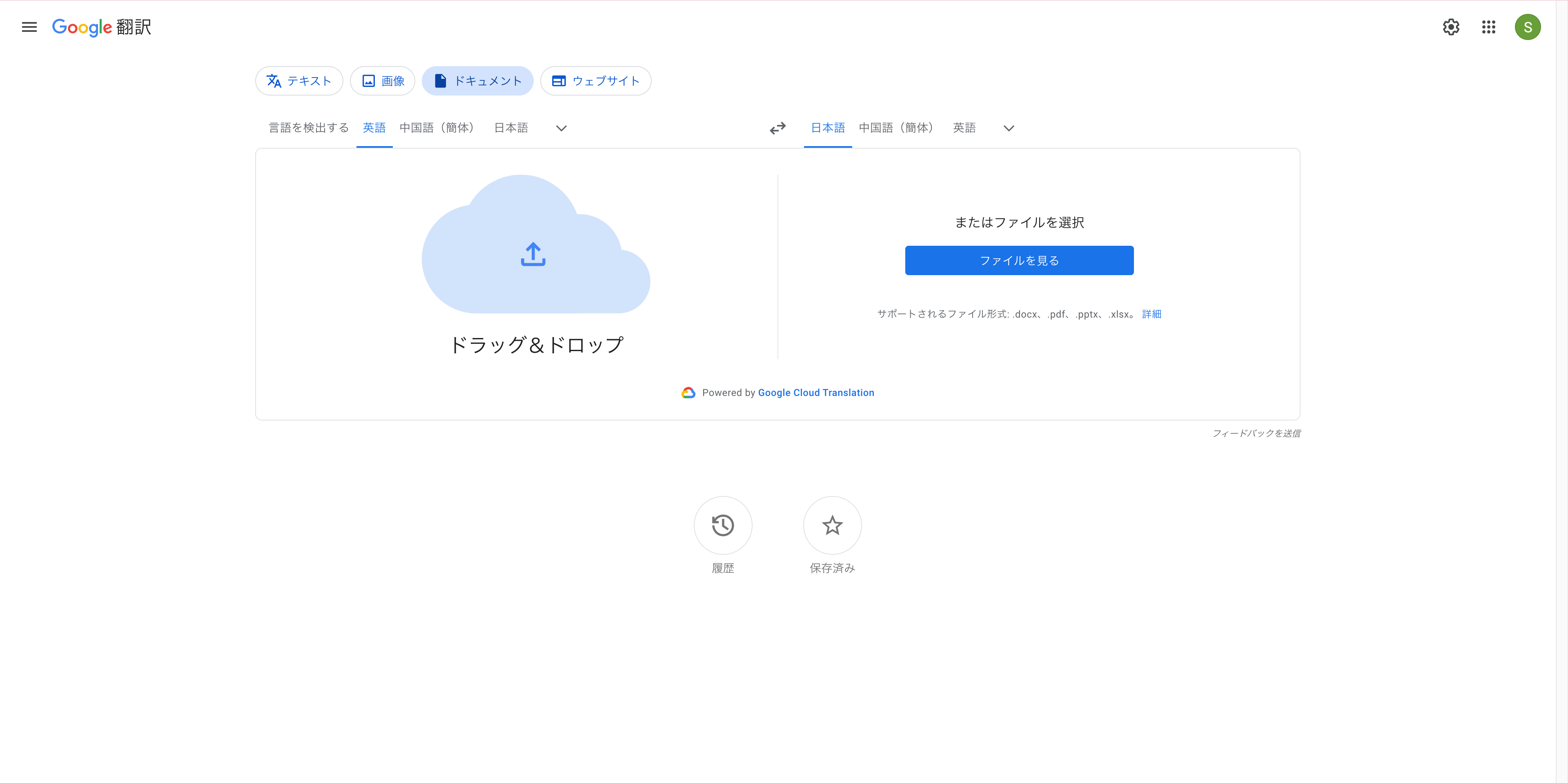
Google Translate is one of the most well-known methods for free PDF translation. You can translate by simply uploading PDF files from your browser, making it widely used by beginners as a way to translate PDFs.
Advantages
- Completely free PDF translation possible
- Extremely simple operation
- Covers a wide range of major languages
Disadvantages
- Layout easily breaks
- Difficult to compare original and translation
- Low translation accuracy for technical terms
DeepL's "File Translation" Feature
DeepL is known for its high translation accuracy and is a popular choice for users looking for free PDF English translation.
Advantages
- Natural and accurate translation
- Ideal for short PDFs and business documents
Disadvantages
- Free version has usage limits for PDF translation
- Does not support side-by-side display
Traduction PDF facile ! Comprenez rapidement avec vue côte à côte
Lisez efficacement les PDF multilingues avec la comparaison DeepTranslate.
ChatGPT PDF Translation (Attaching to AI Chat)
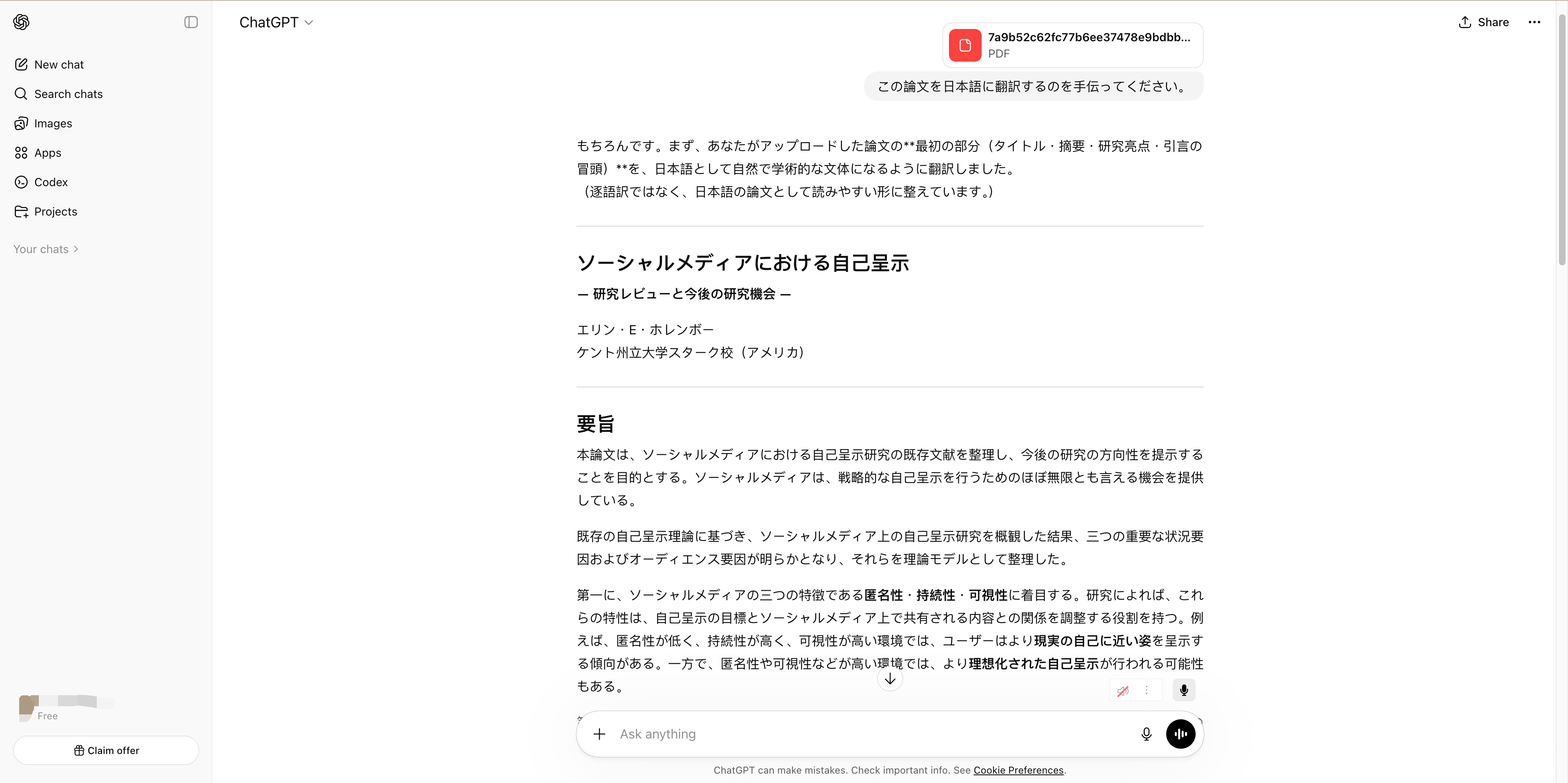
PDF translation using ChatGPT has gained attention as a method to assist with understanding context and technical terms. Rather than full document translation, it is better suited for explaining specific technical terms or difficult passages.
Advantages
- Supplements context and technical term meanings to support understanding
- Can organize and summarize key points of difficult passages and long documents
Disadvantages
- Cannot preserve PDF layout
- Full document translation takes time and effort
- Requires copy-pasting and prompt adjustment
OCR Software + Translation
This is a traditional method used for translating scanned PDF files where text cannot be selected.
Advantages
- Supports image PDFs
- High freedom in tool selection; can also use Google Translate or ChatGPT after OCR.
Disadvantages
- Very many steps: OCR → copy → translation, making it inefficient as a PDF translation method.
- Layout reproduction is nearly impossible; relationships between tables and figures are lost, making it unsuitable for paper translations.
- Depending on the original PDF quality, misrecognition occurs frequently.
Human Translation (Translation Companies / Professional Translators)
This is a method handled by professional translators rather than AI. It is chosen when accuracy is the top priority, such as for contracts or official documents.
Advantages
- Highest level of translation accuracy; can translate considering context, technical terms, and cultural background.
- Strong in specialized fields; most reliable for paper translations in medical, legal, and academic fields.
Disadvantages
- High cost
- Takes time
- Ease of comparing with original depends on translation format
Traduction PDF facile ! Comprenez rapidement avec vue côte à côte
Lisez efficacement les PDF multilingues avec la comparaison DeepTranslate.
Conclusion: Efficient PDF Translation Methods in 2026
As of 2026, there are diverse options for PDF translation, but it's not just about "whether it can translate," but also "work efficiency," "readability," and "comparison with original" are important.
- Short text / content verification: Google Translate PDF, DeepL
- Technical terms / content understanding assistance: ChatGPT PDF translation
- Image PDFs / scanned documents: OCR + translation PDF
- Contracts or important documents: Human translation
For tasks like "reading and understanding" PDF English translation or paper translation PDF, having an environment where you can compare original and translation side by side greatly improves work efficiency.
Especially effective in professional, learning and research settings are tools like DeepTranslate (Chrome extension) that support side-by-side display.
- Can verify original and translation side-by-side, minimizing back-and-forth after translation
- Can translate while maintaining figures, tables and multi-column layouts, making it readable even for papers and business documents
- Multilingual support allows use even with free PDF English translation
In other words, not just "translating a PDF," but designing PDF translation as a comprehension task can be considered the best practice for 2026.